 Attendance and Departure
Attendance and Time Tracking Systems
Attendance and time tracking devices are used by companies and organizations as an alternative to manual employee sign-in sheets. They help business owners generate accurate and efficient reports for employees and workers while saving the company time and effort.
Features of Biometric Attendance Devices
Attendance and time tracking devices help monitor employee attendance and working hours in companies and organizations. Employee attendance and departure can be recorded using fingerprints or attendance cards.
When an employee registers their attendance using the device, their name appears on the screen, and the exact time of arrival or departure is recorded.
Through the attendance management software, you can create one or more shifts according to employees’ working schedules.
Importance of Attendance and Time Tracking Devices
-
Save the time and effort required for manual sign-in and sign-out.
-
Provide comprehensive reports for all employees.
-
Prevent manipulation of employee attendance and departure times.
-
Integrate the attendance system with accounting and payroll systems, making salary calculation easier and more efficient.
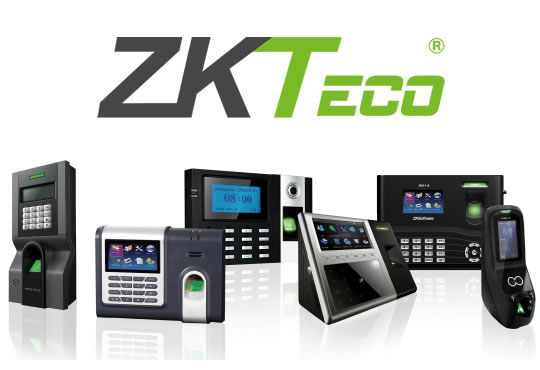
Types of Attendance and Time Tracking Devices
-
Fingerprint and card-based attendance devices.
-
PIN/password and palm recognition devices.
-
Facial recognition attendance devices.
How to Choose an Attendance Device for Employees
When selecting an attendance and time tracking device, several factors should be taken into consideration:
-
Number of employees: Each device has a specific capacity for the number of employees it can support.
-
Nature of the work: Understanding the type of work performed by employees helps determine the most suitable device.
-
Number of daily and monthly transactions: The expected number of attendance and departure transactions should be considered.
-
Location and environment: Select a device that is suitable for the installation environment to protect it from damage and ensure long-term performance.
Additional Features and Connectivity
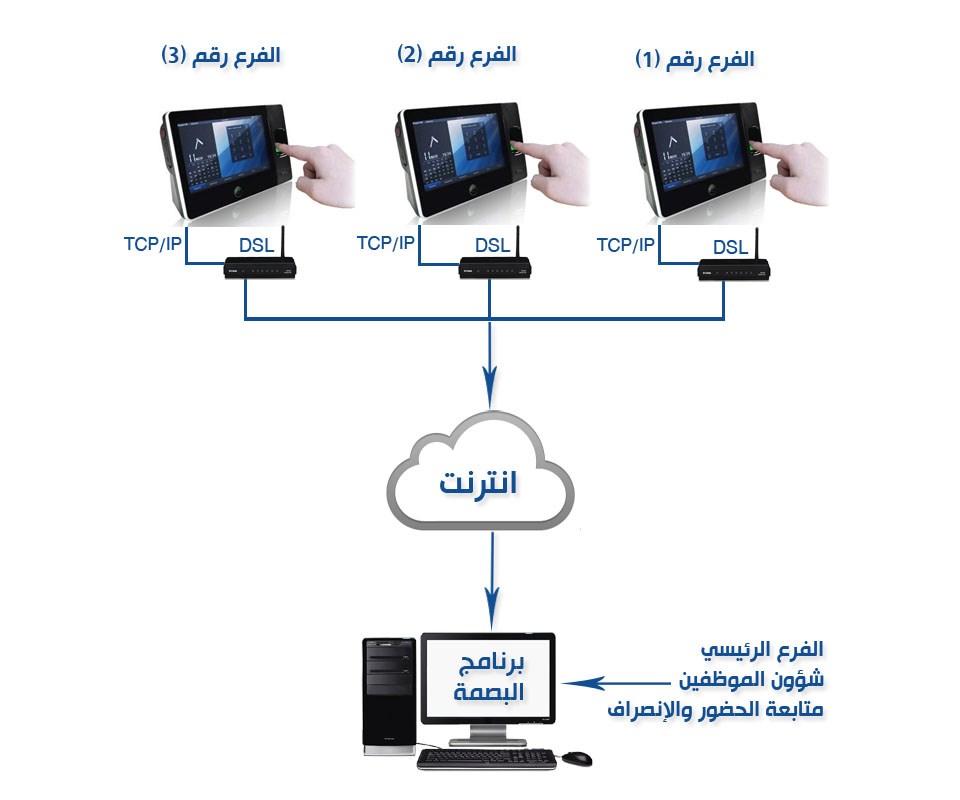
One of the additional advantages of biometric attendance devices is the ability to connect the device to the Internet, allowing attendance data to be retrieved remotely without the need to physically collect the data using a USB flash drive. This saves time and eliminates the need to visit the main location of the attendance device whenever data is required.
For Internet connectivity, the location where the attendance device is installed should have a suitable DSL or fiber-optic Internet connection. Internet connections based on cellular towers and SIM cards may not support direct connectivity for certain attendance devices.
Alternatively, the device can be connected to the local network, allowing attendance data to be retrieved through the internal network. The most common methods are retrieving the data using a USB flash drive or through the local network.
Attendance Management Software Features
-
Accurate recording of employee attendance and departure times.
-
Dedicated software available in Arabic and English.
-
Ability to configure attendance shifts, such as one or two shifts per day or week, with the option to create separate employee groups with different or identical schedules.
-
Ability to configure the system to record check-in only, check-out only, or both.
-
Support for multiple fingerprints, such as the thumb and index finger.
-
Calculation and management of overtime hours.
-
Generation of employee movement reports, including attendance, absence, leave, and authorized permission periods.
-
Ability to connect the attendance device to multiple computers through the local network or the Internet.
-
Ability to retrieve attendance data from the device using a USB flash drive.
-
Support for attendance cards.
-
Ability to connect the attendance device to access control doors, allowing doors to be unlocked using a fingerprint.
-
Ability to connect all company branches to the main branch for remote monitoring of employee attendance and departure through Internet-connected devices.